
Table of Contents
- Does OSHA Require Daily Disinfection of Desks? The Direct Answer
- OSHA Workplace Cleaning Requirements: Which Standard Applies to You
- Cleaning vs. Disinfecting: What the Difference Means for Your Desks
- How Often to Disinfect Office Desks: A Frequency Decision Guide
- Shared Desk Cleaning Procedures for High-Touch and Shared Work Areas
- Selecting and Using Disinfectants Safely
- Office Cleaning Schedule Template and Documentation
- Frequently Asked Questions
Last Updated: October 19, 2026
Does OSHA Require Daily Disinfection of Desks? The Direct Answer
No.
That answer surprises most office managers. The confusion comes from mixing up a legal rule with a health recommendation.
OSHA’s general duty clause requires employers to provide a workplace free from recognized serious hazards, a broad obligation, not a cleaning checklist.
So where does “disinfect desks daily” come from? Read the OSHA sanitation standard for workplaces yourself and you’ll see the language is general, not prescriptive.
What OSHA Actually Says About Desk Cleaning
OSHA’s sanitation rules require clean surfaces and adequate washing facilities. They do not name desks, keyboards, or a daily disinfection frequency.
The general duty clause fills the gap: employers must address recognized hazards that could cause serious harm. If a workplace has a documented outbreak risk, that clause could apply. In a normal office, it rarely demands daily desk disinfection.
Rule vs. Guidance: Why the Distinction Matters
OSHA can cite you for violating a standard or the general duty clause, but not for skipping a step that only appears in a public health recommendation. That distinction saves facilities teams from overspending on unnecessary daily chemical use.
Keep your written cleaning policy separate from your compliance obligations. Label public health recommendations as “best practice” in your documents, not “OSHA requirement.” If an inspector or auditor asks, you can show exactly which items are legal obligations and which are voluntary.
OSHA Workplace Cleaning Requirements: Which Standard Applies to You
There is no single OSHA cleaning rule that covers every workplace. The standard that applies depends on your industry, hazards, and tasks, the practical skill is finding the standard that governs your operation.
Here is a decision path you can walk through with your safety officer or counsel:
- Identify your industry and hazards. A general office has different obligations than a dental clinic, restaurant kitchen, or manufacturing floor. List the biological, chemical, and physical hazards employees encounter.
- Check whether a substance-specific standard applies. If any employee could reasonably be exposed to blood or other potentially infectious materials, OSHA’s bloodborne pathogens standard (29 CFR 1910.1030) applies, requiring specific cleaning and disinfection procedures for contaminated surfaces and equipment plus a written exposure control plan. For other regulated substances, check the corresponding standard.
- Check the sanitation standard for your industry. General industry falls under OSHA’s sanitation standard (29 CFR 1910.141), covering cleanliness, washing facilities, and waste disposal, but no daily desk disinfection schedule. Industry-specific rules may add detail; food service, for example, faces separate sanitation requirements under food safety rules, not OSHA alone.
- Apply the general duty clause where no specific standard fits. Section 5(a)(1) of the OSH Act requires a workplace free from recognized hazards likely to cause death or serious physical harm. It becomes relevant to desk hygiene only when a recognized serious hazard exists, for example, a documented outbreak a reasonable employer would address.
- Layer in hazard communication for any cleaning chemicals. If staff use disinfectants or other cleaning products, OSHA’s hazard communication standard (29 CFR 1910.1200) requires labels, safety data sheets, and training, regardless of whether daily disinfection is required.
- Check state and local rules. Some jurisdictions impose cleaning or disinfection requirements beyond federal OSHA. Verify with your state labor or health agency.
- Document your reasoning. Write down which standards you determined apply and why. This record is your defense if an inspector or auditor asks.
A common pattern for corporate offices is the sanitation standard plus hazard communication, with bloodborne pathogens added only for roles like first aid responders or custodial staff handling bodily fluids.
Build a one-page “applicable standards” memo for each facility. List the standards you determined apply, the basis for each determination, and the date of review. Update it when operations change. This is far more useful than a generic cleaning policy that cites no authority.
Rule vs. Guidance: Sourcing the Distinction Correctly
- Binding rules are enforceable standards such as 29 CFR 1910.141, 1910.1030, and 1910.1200, plus the general duty clause. OSHA can cite an employer for violating these.
- Guidance and recommendations are advice from public health agencies, industry groups, or vendors, not enforceable on their own. Much of the “disinfect desks daily” advice originated in pandemic-era public health guidance and vendor marketing, and some has since been revised or withdrawn.
When you cite a recommendation, label it as best practice and note the source and date. When you cite a rule, give the standard number. That lets you show an inspector exactly which items are legal obligations and which are voluntary.
OSHA sanitation standard, 29 CFR 1910.141
OSHA bloodborne pathogens standard, 29 CFR 1910.1030
OSHA hazard communication standard, 29 CFR 1910.1200
Cleaning vs. Disinfecting: What the Difference Means for Your Desks
Cleaning removes dirt, germs, and grime from a surface; disinfecting kills germs after the surface has been cleaned.
These are two different jobs, and skipping the first one weakens the second. A disinfectant applied to a dirty desk may not work as intended.
Cleaning is the physical removal of visible soil using soap, water, and friction. Disinfecting is the chemical treatment that reduces germs on a surface.
Clean First, Then Disinfect
The correct order is always the same: clean, then disinfect. Wipe away visible dirt first, then apply the disinfectant and let it sit for the full contact time on the label. Wiping it dry too soon defeats the purpose.
The most common mistake we see is spraying disinfectant and immediately wiping it dry. That skips the contact time the label requires, which means the product never gets the chance to work. You’ve spent the chemical budget without getting the benefit.
How Often to Disinfect Office Desks: A Frequency Decision Guide
There’s no single right answer for how often to disinfect office desks. The right frequency depends on how the desk is used and who uses it.
Use this decision guide:
| Desk situation | Recommended frequency | Why |
|---|---|---|
| Assigned desk, one user, low traffic | Weekly cleaning, disinfect when someone is sick | Low shared contact |
| Assigned desk, shared phone or equipment | Daily wipe of shared items | Shared touch points |
| Hot desk or shared workstation | Disinfect between users | Multiple people, high contact |
| Front desk or reception | Daily, often twice daily | Constant public contact |
| Desk in a healthcare or childcare setting | Follow that industry’s rules | Regulated environment |
For a standard assigned desk, a weekly clean plus spot disinfection when someone reports illness is a reasonable baseline. Shared desks need more attention because more hands touch them.
Shared Desk Cleaning Procedures for High-Touch and Shared Work Areas
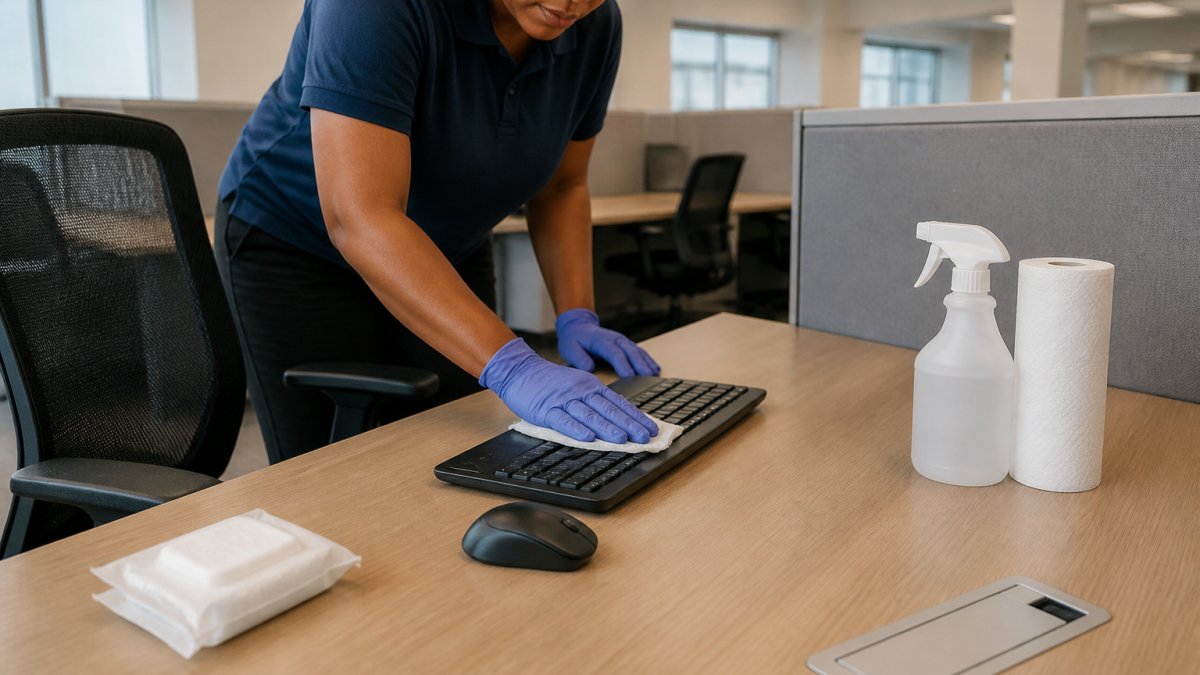
Shared desk cleaning procedures should target the surfaces people actually touch: keyboards, mice, monitors, phones, and chair arms, not just the desktop.
High-touch surfaces in a shared area include:
- Doorknobs and light switches
- Shared keyboards, mice, and tablets
- Faucets and shared coffee equipment
Electronics need care. Never spray liquid directly onto a keyboard or screen. Apply cleaner to a cloth first, then wipe. Unplug devices before cleaning when the manufacturer recommends it.
A Step-by-Step Desk Disinfection Routine
Follow this order every time:
- Clear the surface. Move papers, cups, and personal items aside.
- Clean visible soil. Wipe the desktop with a general cleaner and a clean cloth.
- Clean electronics carefully. Wipe keyboards, mice, and screens with a cloth dampened with an approved cleaner.
- Disinfect high-touch points. Apply disinfectant to the desktop, chair arms, and shared items.
- Respect contact time. Let the surface stay wet for the time on the label.
- Wash your hands. Hand hygiene after cleaning protects the worker.
Selecting and Using Disinfectants Safely
Choosing a disinfectant involves trade-offs: the right product depends on the surface, the germs you target, the contact time staff can realistically honor, and the safety profile for the people using it.
Match the Product to the Surface and the Job
Start with the surface. Desks, keyboards, monitors, chair arms, and shared phones are not interchangeable: some tolerate liquids, electronics do not, and some finishes are damaged by high-alcohol products.
Then match the product to the target. A cleaner removes soil; a disinfectant’s germ-killing claims depend on the surface staying wet for the full contact time on the label. Cleaner-disinfectants do both in one step, but only if the label says so and the surface stays wet long enough.
Read the Label Like a Compliance Document
The label is the single most important document in your cleaning program. Look for these details on every product:
- Contact time. How long the surface must stay wet. This is the number most often ignored. A one-minute product and a ten-minute product demand very different staffing and scheduling.
- Approved surfaces. What the product is safe to use on. Using a product on an unapproved surface can damage equipment or void a manufacturer’s warranty.
- Safety warnings. Gloves, ventilation, and eye protection needs. These drive your PPE decisions.
Contact Time Is the Hidden Cost Driver
Contact time is where product choice meets labor cost. A ten-minute disinfectant means the surface must stay wet the full period, so in a busy office staff must re-wet it or you choose a shorter-contact product. A common pattern: shorter-contact products for high-turnover shared desks, longer-contact products where staff can leave surfaces wet.
Protect the Worker: Exposure and Hazard Communication
Under OSHA’s hazard communication standard (29 CFR 1910.1200), employers must provide safety data sheets, label containers properly, and train workers on safe handling.
A practical pattern is to keep a binder or digital folder with the safety data sheet for every cleaning product on site, plus a short training record showing each worker was trained on the products they use.
Documentation and Responsibility
Written schedules, assigned responsibilities, and completion records are not universally required by OSHA for desk cleaning, but they show your program is real and that you addressed recognized hazards. A simple log, surface, product, contact time, date, initials, gives you a defensible record without overstating what the law requires. Assign one owner and one backup so the program does not lapse.
The product label is your compliance document. If your team follows the contact time, surface list, and safety warnings on the label, and you keep safety data sheets and training records on file, you have covered the core of safe disinfectant use, and you can show your work if asked.
OSHA hazard communication standard, 29 CFR 1910.1200
Office Cleaning Schedule Template and Documentation
Documentation turns good intentions into a defensible program: write down what gets cleaned, how often, and by whom, then keep records.
Use this office cleaning schedule template as a starting point:
- List every high-touch surface by room
- Assign a cleaning frequency to each item
- Name the responsible person or vendor
Assign clear responsibility, a schedule with no owner gets skipped. Whether you clean in-house or use a vendor, someone must own the checklist and the records.
This is where a reliable partner helps. At Guso Janitorial Services, we build tailored cleaning programs that match each facility’s needs, available around the clock, using clean and green products.
Frequently Asked Questions
Does OSHA require employers to disinfect desks every day?
No, OSHA does not have a specific rule that requires daily disinfection of desks. The general duty clause requires employers to provide a workplace free from recognized serious hazards, which can include certain infectious agents, but it does not mandate a daily desk disinfection schedule. Some OSHA standards, such as those for bloodborne pathogens, apply only in specific settings. For most offices, daily disinfection is a best practice rather than a legal requirement. Employers should assess their workplace hazards and follow applicable standards and public health guidance.
How often should office desks be cleaned or disinfected?
The right frequency depends on how many people use the desk, whether employees are visibly ill, and the type of work performed. High-touch surfaces like shared desks, keyboards, and mice benefit from daily cleaning, with disinfection at least once per day or between users. Personal desks used by one person may need only routine cleaning and occasional disinfection. During flu season or when illness is circulating, increase disinfection to daily or more often. A written schedule helps maintain consistency.
What is the difference between cleaning and disinfecting a desk?
Cleaning removes dirt, dust, and organic matter from surfaces using soap or detergent and water. Disinfecting uses a chemical product to kill or inactivate germs on surfaces after cleaning. Cleaning first is important because disinfectants work best on clean surfaces. For desk disinfection, always clean visible soil first, then apply a disinfectant and allow it to remain wet for the contact time listed on the product label. Skipping the cleaning step can reduce how well the disinfectant works.
Do employers need a written office cleaning schedule?
OSHA does not explicitly require a written cleaning schedule for general office spaces, but having one is a practical way to show compliance with workplace safety and health obligations. A written schedule documents who cleans what and how often, supports employee training, and helps maintain consistency. It also serves as evidence of good faith if an inspection or incident occurs. Many employers include cleaning protocols in their written safety and health program, especially when using hazardous chemicals that require hazard communication.
Desk disinfection doesn’t have to be a guessing game. The rules are narrower than most people think, and the right frequency depends on how your space is used. If you’d rather hand the whole program to a team that shows up on schedule and documents every visit, Guso Janitorial Services can build a plan around your facility, with 24/7 availability, tailored programs, and eco-friendly products. Call today to get started.
Leave a Reply